Project
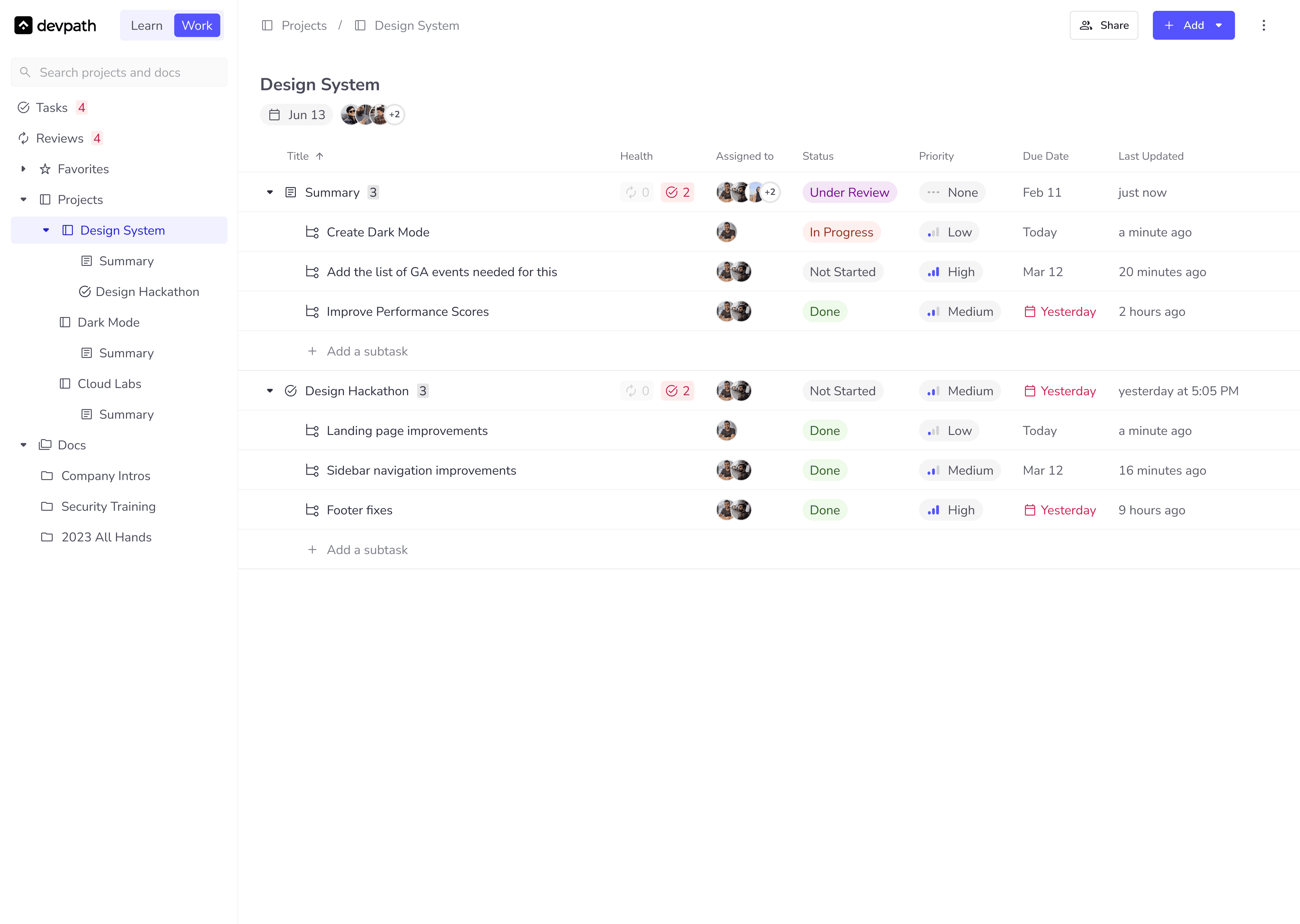
Workflows: Building the future of work management
Role
Product Designer
Team
1x CTO
3x Product Managers
1x VP of Sales
Duration
8 months
Intro
The scalability problem
As our team at Educative scaled from 50 people to over 600, a centralized repository of projects, communication, and documentation became necessary. The existing tools provided separate solutions, requiring a lot of context switching and maintenance. To solve this problem for multiple personas across the company, we set on to build a product called Workflows.
My Role
The Manager + IC Hybrid
By this point, I had been at Educative for over 2 years. It was an ambitious product that our leadership was heavily focused on and I worked directly with sales, engineering, and product leadership on the end-to-end process. Besides this, I was also involved in hiring and developing an outcome focused team of Designers and Illustrators.
Scoping out
The work management industry
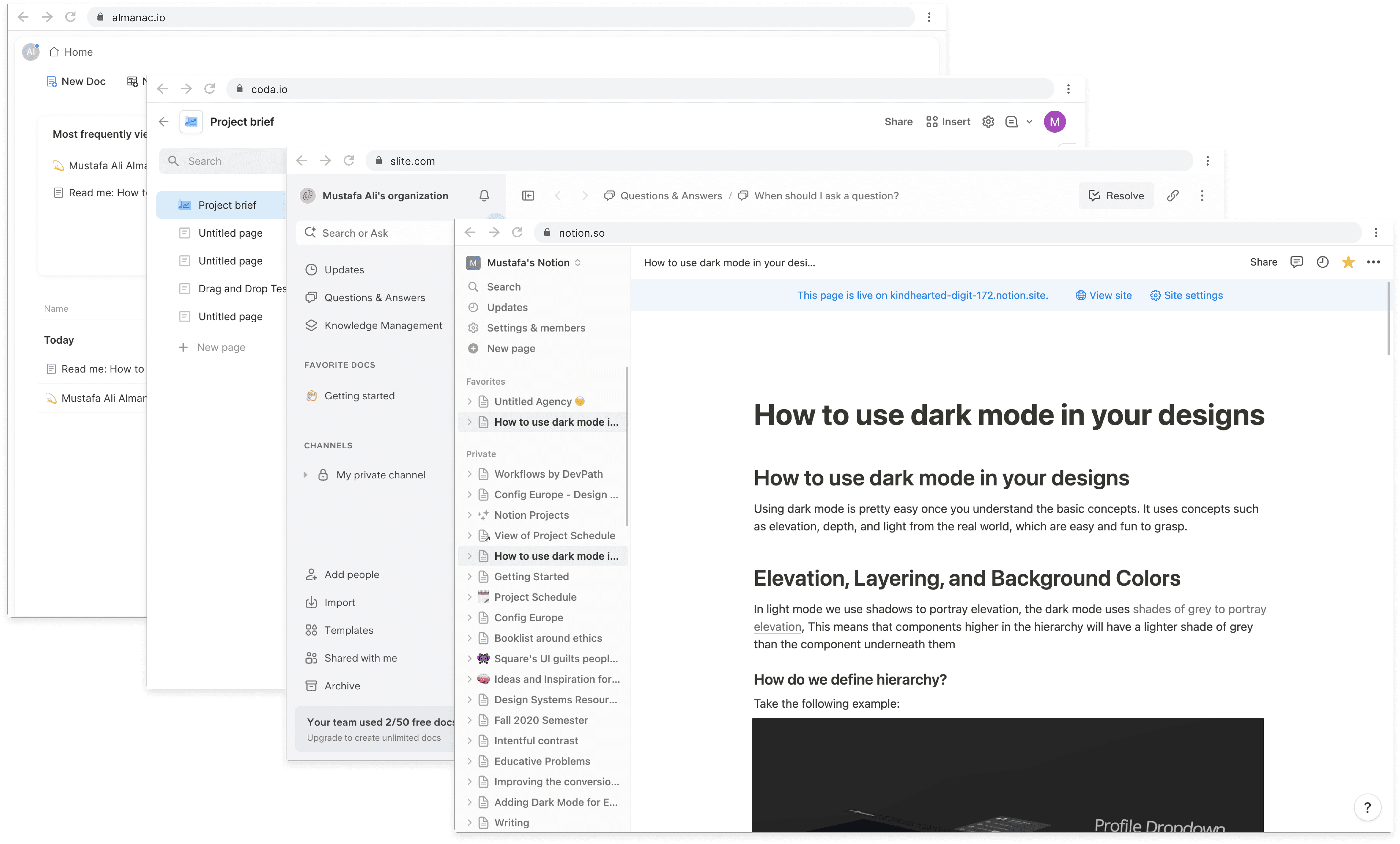
We discovered competitors across 2 main areas: documentation and project management, with a lot of new potential products on the market.
the source
Talking to the demographic
I spoke to a total of 31 people (18 Engineering Managers, 13 Software Engineers) sourced through my LinkedIn references. Since this was an exploratory phase for us, I deemed it best to get their perspectives about the current state of work management tools. focusing on how they use the existing tools, what they like, what they not like, and where the gaps exist in those tools.
"I can never figure out project progress"
Engineering Managers and leaders have a tight schedule and they do not want to spend their times searching for documents or projects. Most of the users expressed frustration with existing tools, where things don't scale. For example, one user expressed that JIRA is too open. Anyone can create anything and post it anywhere, and
"Design, PM, and dev docs get lost."
Looking at this pattern, I realized one of the biggest issues was team alignment. Every company has a slightly different style of working, however most users I spoke to followed a similar process where PMs, Devs, and Designs are usually working in a tandem. People managers expect to find all related design, pm, sales, and technical docs together. The problem becomes worse when the users are paired with other teams which use a completely different platform suited to their needs.
"Signoffs become blockers and I have to remind people via Slack"
People forget things, or they need to work on an urgent project. Working in a fast-paced environment, I cannot expect a user to remember everything they have to do unless they jot it down. Even with jotting down, what happens if the user never opens their notes? This leaves the Product Managers to constantly remind their colleagues via the work messaging app to review their document. This causes avoidable delays.
"Discussions on technical docs are difficult to resolve?"
A Product Manager needs to bring all the teams onboard when they are writing a document. It can contain technical features requests, approval from the sales, dev, design, and leadership teams. Their biggest concern was that code implementation discussions on the document stay in limbo and prevent the document from being approved. At times, PMs have pushed through the document without the approvals because the technical teams were taking too long to review the document.
Experimentation
Initial wireframes & user testing
After spending some time synthesizing our findings, and settling on MVP features. I took a weekend to prototype a fully functional low fidelity wireframe containing the core experience to get initial user feedback.
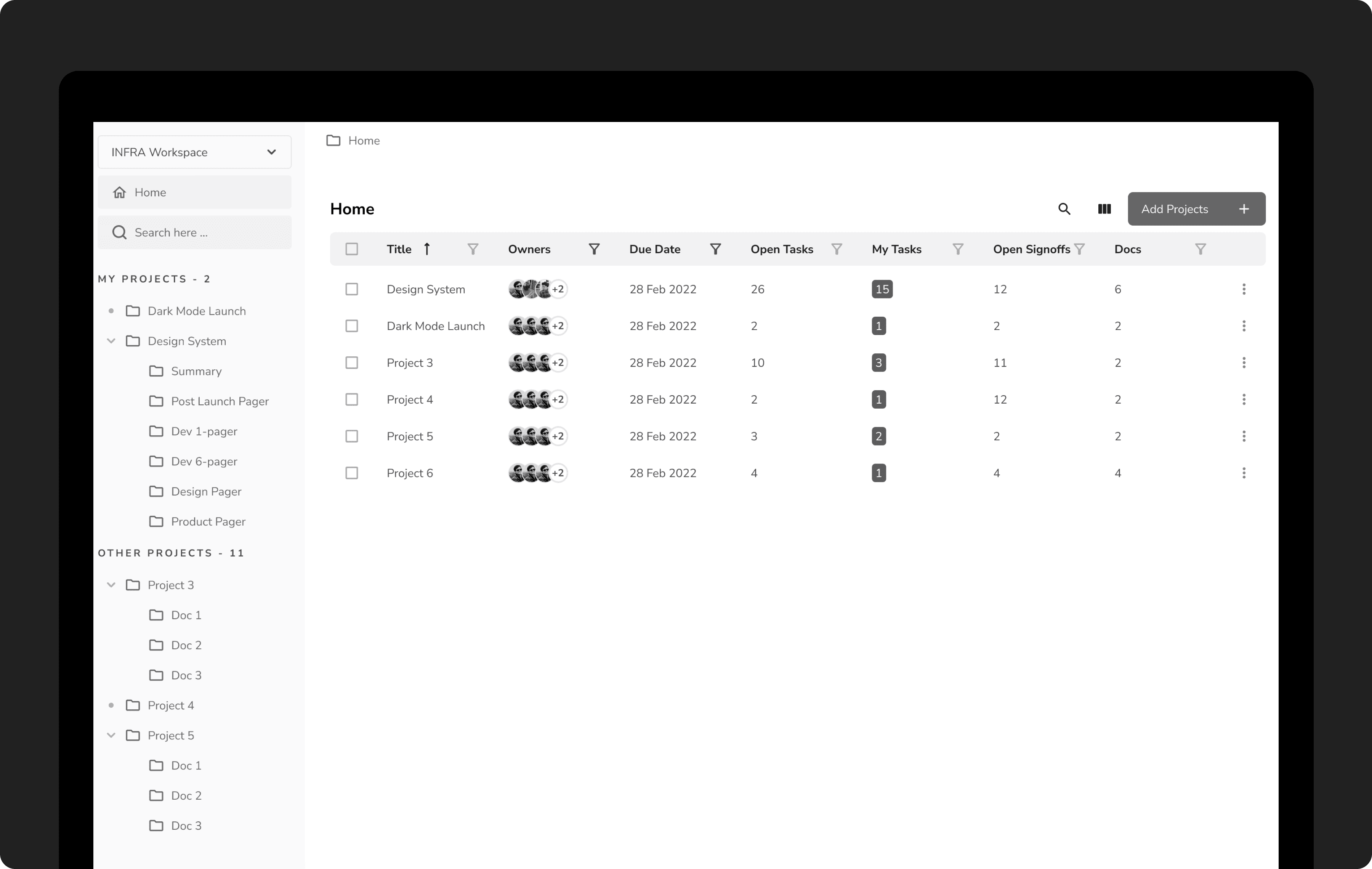
Touchpoint 1: Projects Home
This page shows a bird-eye view of all the projects on the platform.
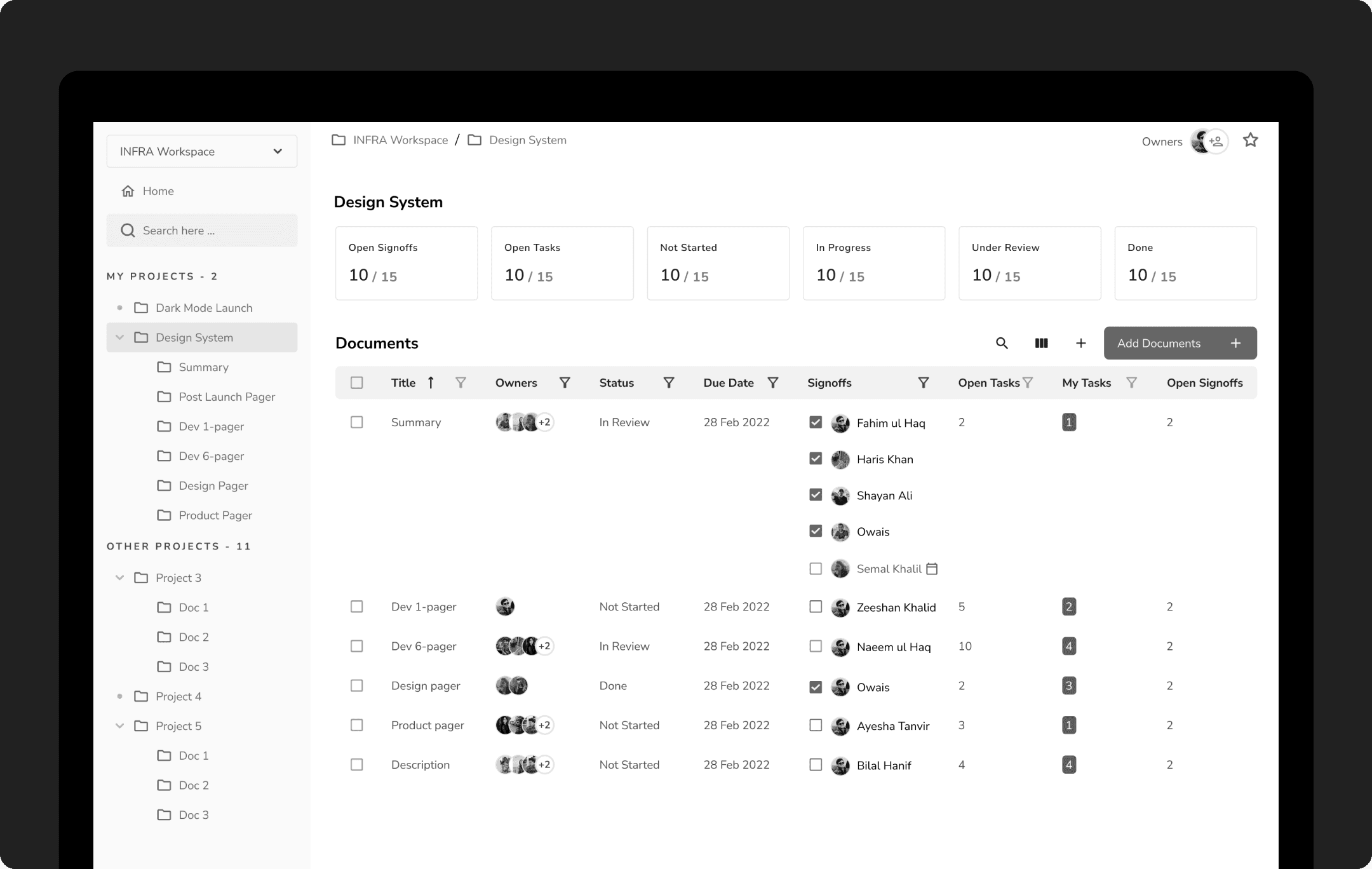
Touchpoint 2: Project Details
This page was heavy on stats, the goal was to show useful information to the users without overwhelming them. The data had to be meaningful, scannable, and actionable.
Touchpoint 3: Document
Defining the right layout for the document page was a challenge. It is a live multiplayer document editor with auto-save. The most prominent information like document status, reviews, and doc owners is at the top. The right sidebar is sticky and houses comments and tasks.

User Feedback on Wireframes
The feedback I received helped me identify how users view and track projects and their tasks. I was able to discover a lot of gaps and significant room for improvement in designs.
"Where is my attention required?"
Engineering Managers and leaders have a tight schedule and they do not want to spend their times searching for documents or projects. Most of the users expressed frustration with existing tools, where things don't scale. For example, one user expressed that JIRA is too open. Anyone can create anything and post it anywhere, and the tools get bloated over time with ops related additions. The users then have very little cues from the platform on where they should spend their time.
"I don't want to use 2 different tools to manage my work"
Our Product Managers would use Monday.com for project management, and Slite.com for knowledgebase. The problem with this approach was manual linking, and manually updating each status. One of the users mentioned, "If my document is approved, why can't the project progress update?". 24/31 users I spoke to used JIRA and Confluence as a pair. The problem, again is the fact that those are two different sub-platforms. Going back and forth between them takes too much manual work.
"How do I know when my tasks are due?"
I spoke to people working in tech-first companies. All of the users from different companies I spoke to had a release schedule, sprints, and retrospectives. The constant theme coming up in those meetings was the due dates not being taken seriously. I asked one of my interviewees if they could show me their tasks page on JIRA. It would just list the tasks with due dates in red. No visual queues or automatic reminders are available. This caused several developers on the team to miss due dates for their features, provided that they were not working on just one task. In high stakes environments, losing sight of dates can be a huge problem and can cause company-wide delays.
"How do I know what I need to resolve?"
The product managers I spoke to gave blocker resolution the highest priority. They argued that people would leave their comments and then forget, or sometimes the comments would not be clear enough. They would then ask for clarification on those comments, however the person might reply tomorrow, or 3 days later. During this entire time, they might think that there are no issues with the document, but the reviewer might come back a week later to expand on their comment and give feedback that could change the entire direction of the document.
Final Designs
Moving to high fidelity
After consolidating the feedback, I moved to high fidelity designs. The designs were fully interactive with end to end flows.
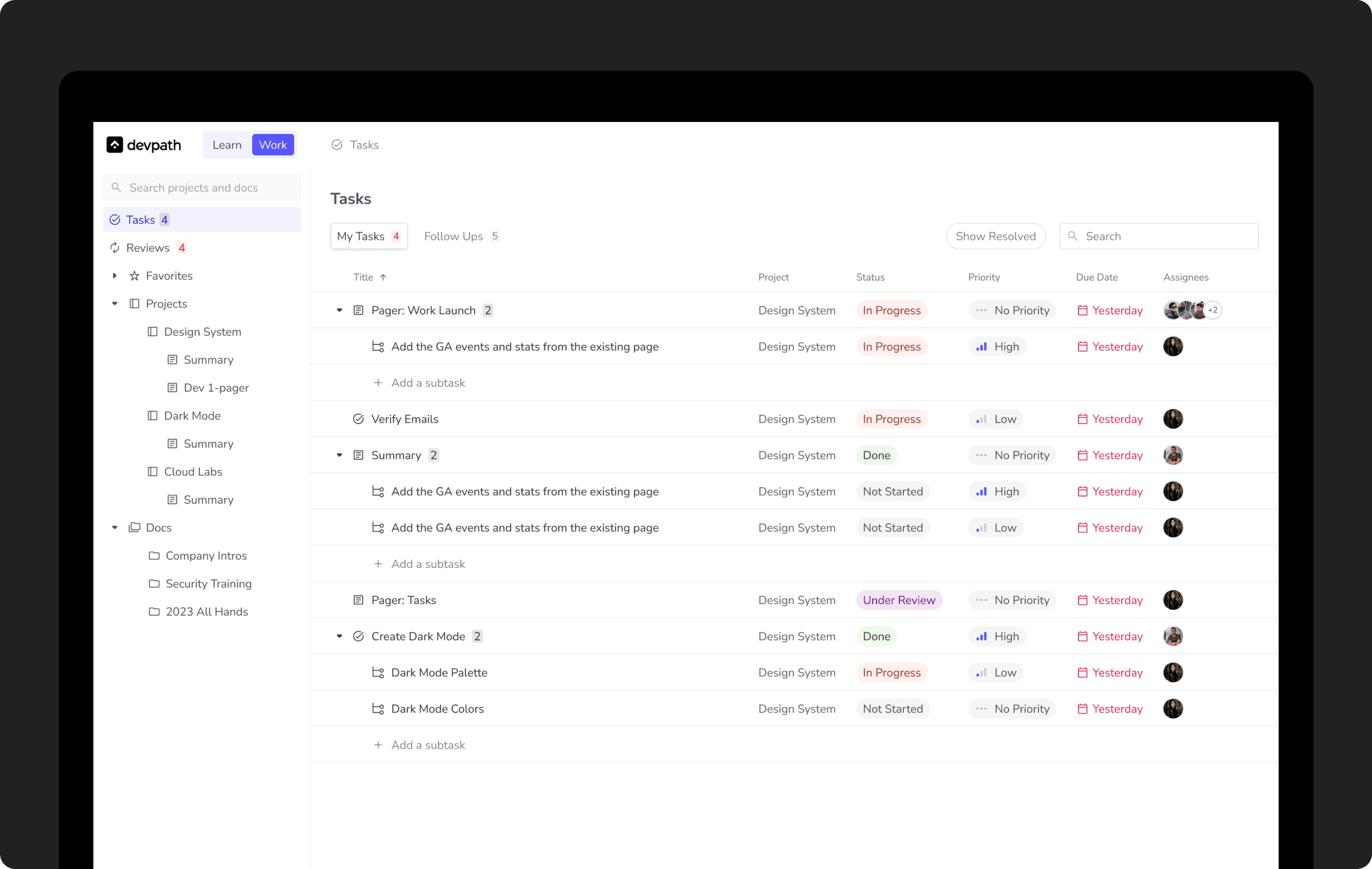
Task Manager
I built a complete end-end task manager from scratch. Tasks are associated to Projects and Documents and can be assigned to anyone.
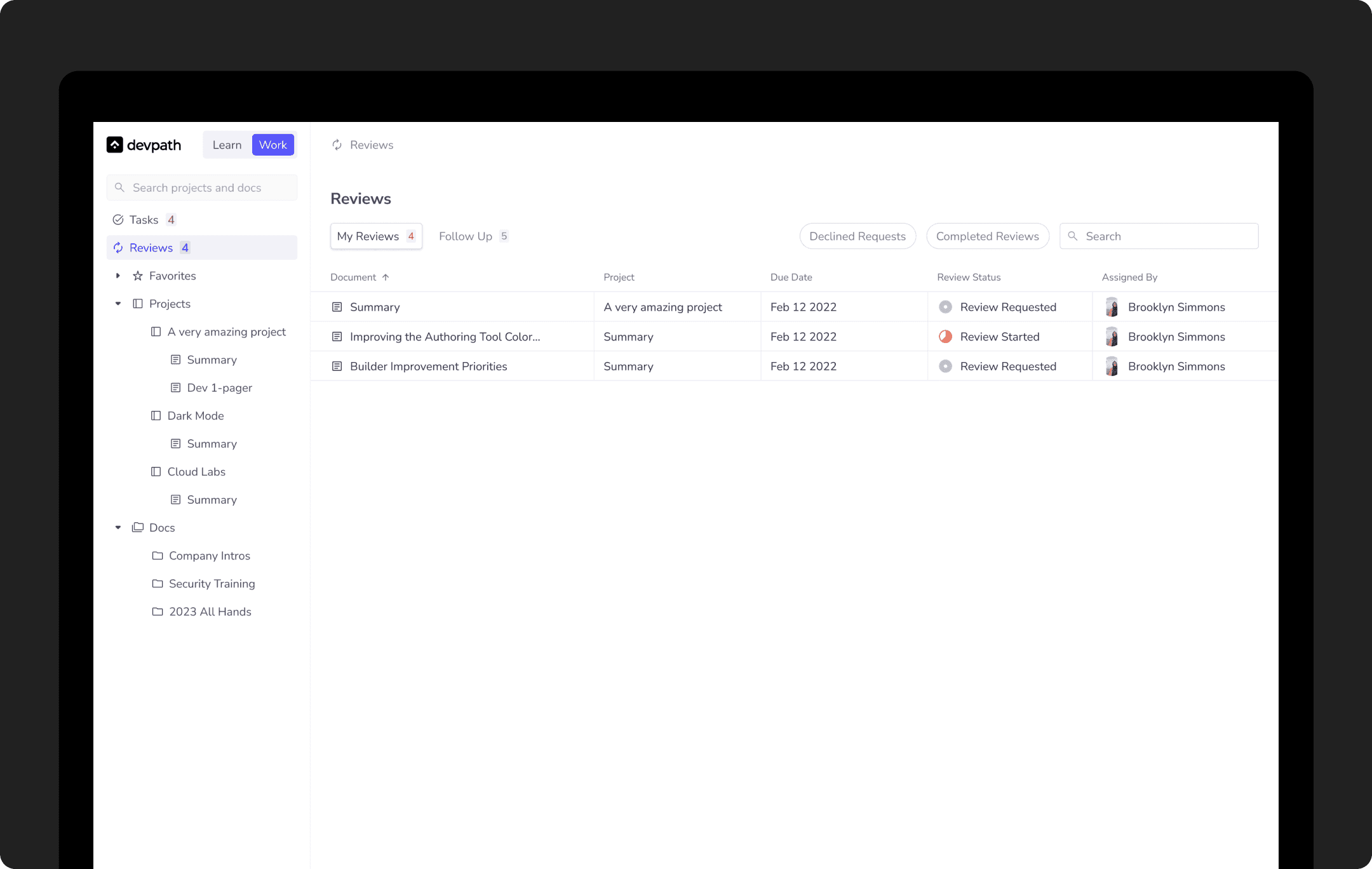
Review Manager
This feature is used to get the documents reviewed by anyone on the team. People can request reviews on their documents. The entire process can be seen in the flow here.
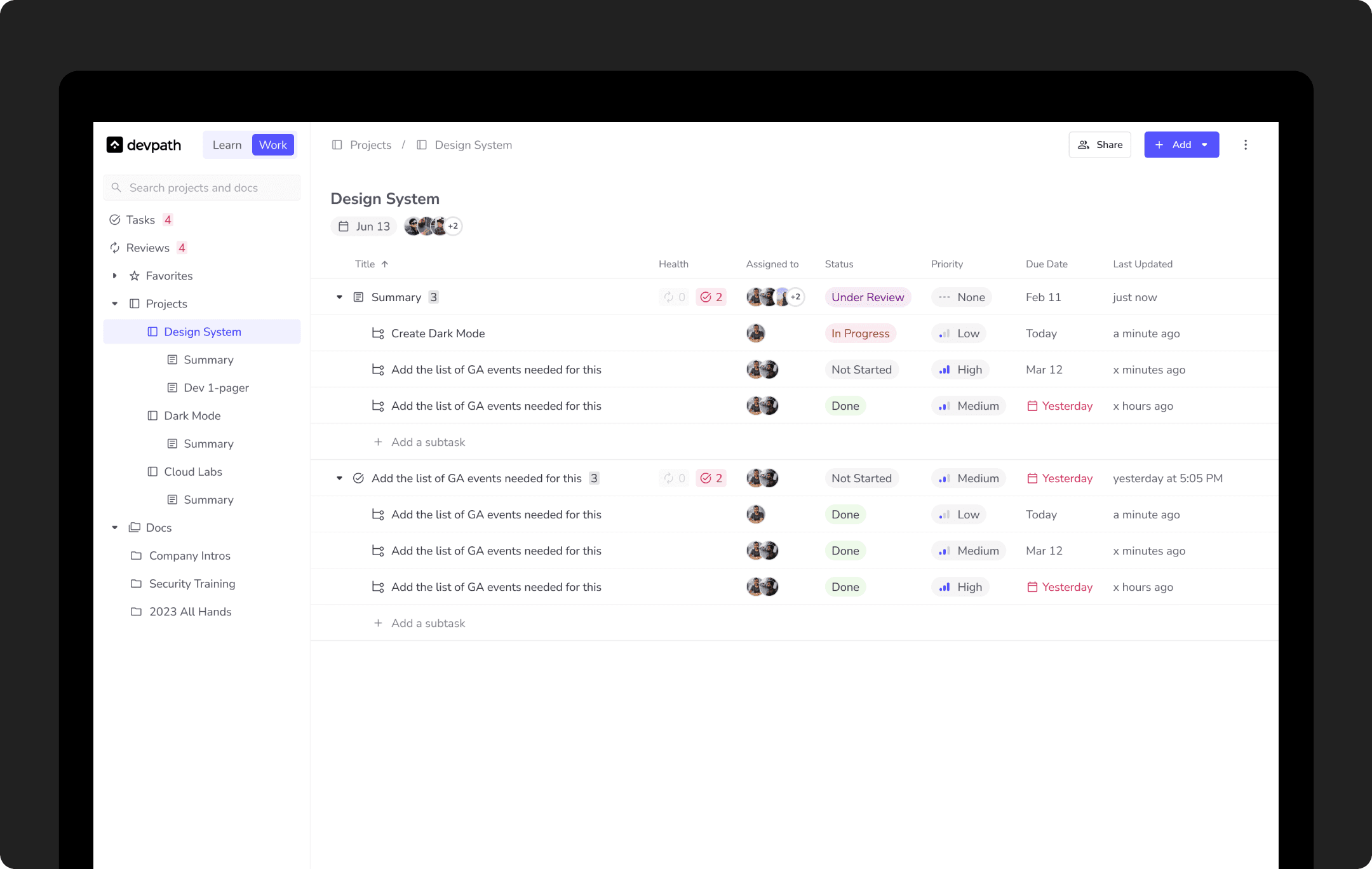
Project Manager
A project contains several tasks and documents. It can have a due date and multiple collaborators.
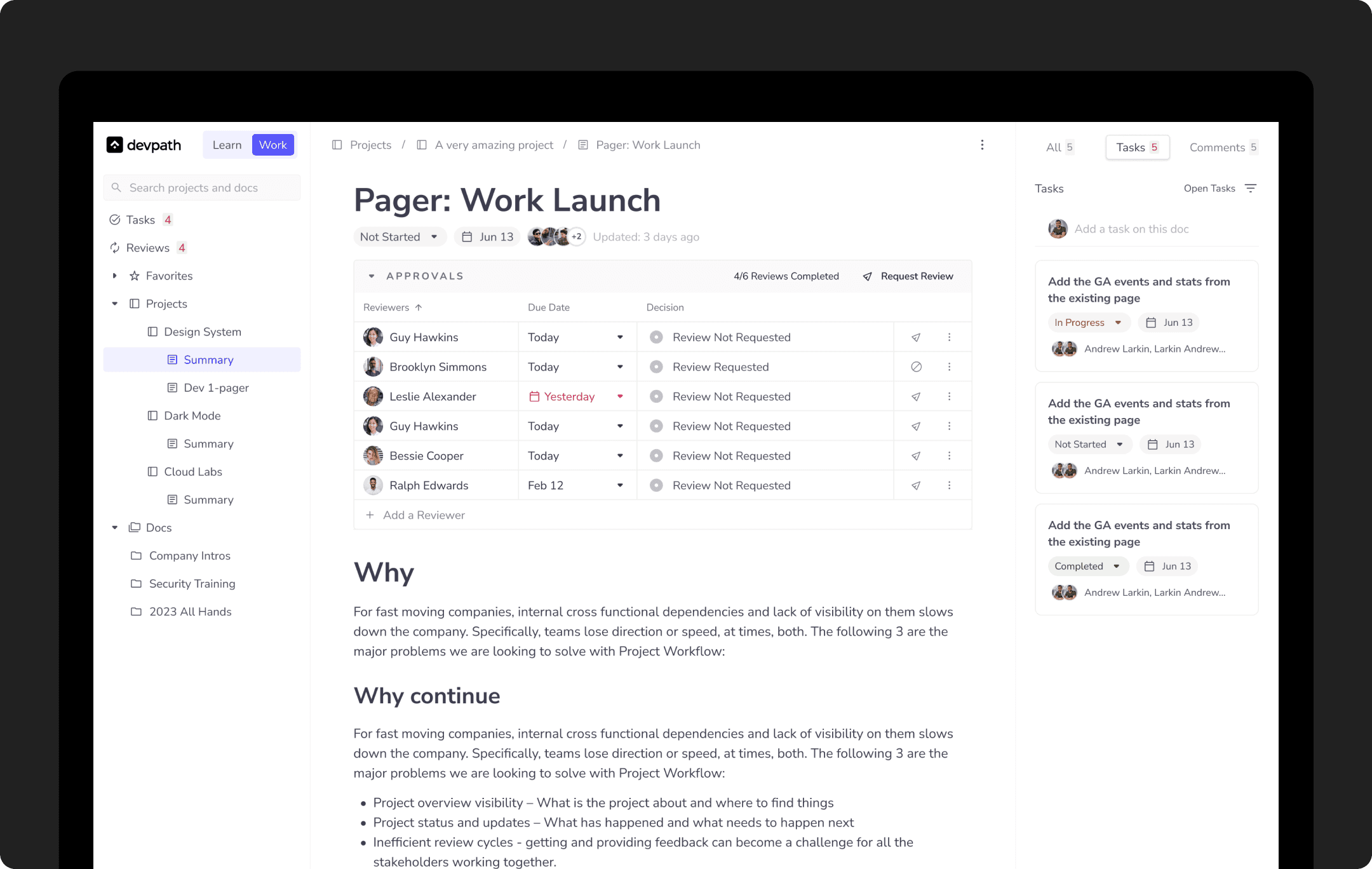
Document Viewer & Editor
This is the page where users spend most of their time. It went through several iterations since so many features are dependent on it. Tasks and reviews are part of the document. It can have multiple states ranging from Not Started to Done.
More work
The work listed in this case study is a bird's eye view of the project over eight months. Want to dive deep into the designs? Feel free to contact me at mustafa.ali.akbar96@gmail.com.